Start Screen & Workspace Hub
Last changes: Documentation changelog
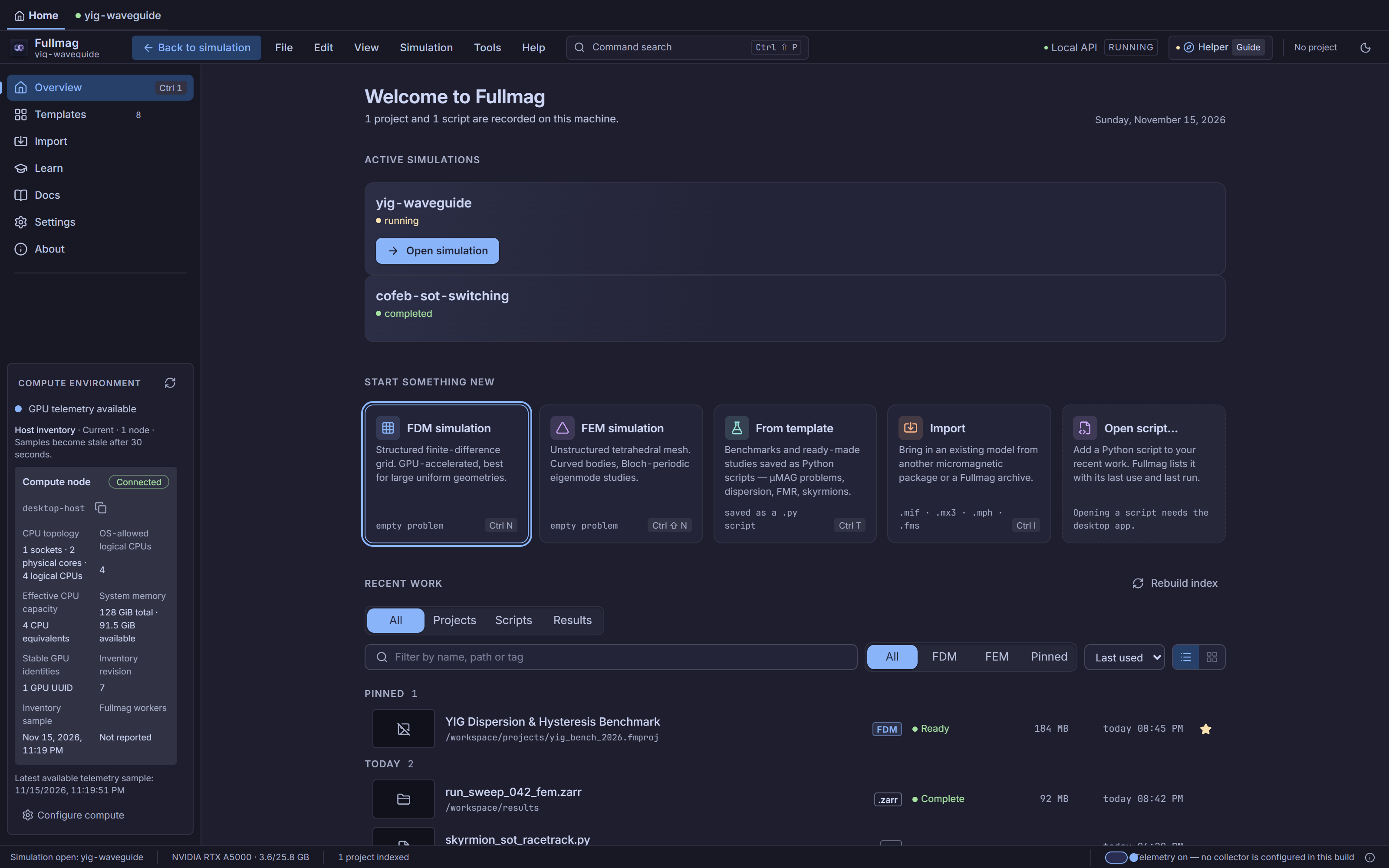
The Control Room Start Screen (apps/control-room/src/modules/start/StartScreen.tsx) is the
non-blocking workspace hub served at /home. When an active session is already loaded in the
same Control Room instance, opening Home overlays the workspace rather than closing or
halting the running session, so switching back to the active session tab restores the live
workspace immediately.
Model Templates and Script Creation
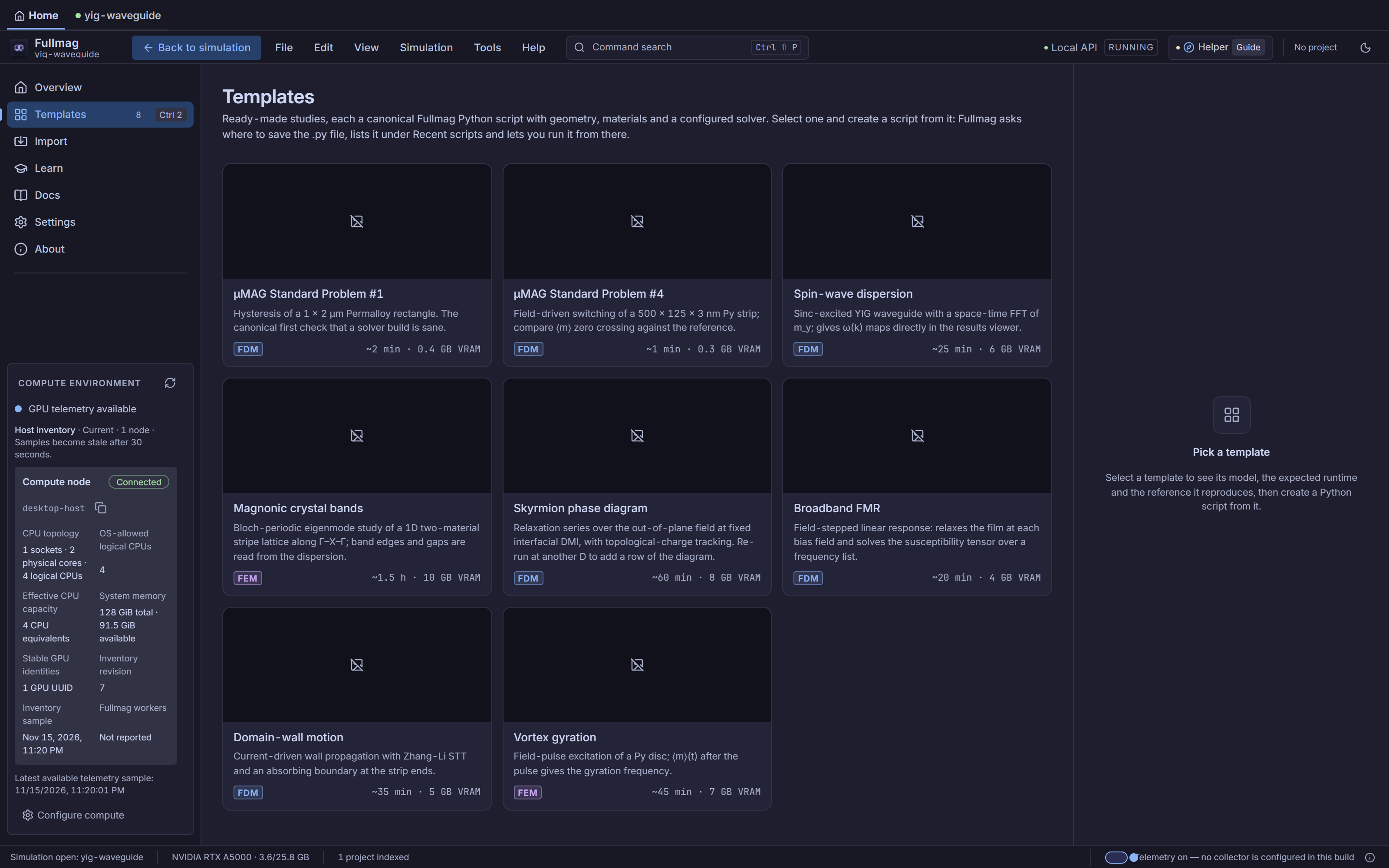
Selecting a card in the Templates section previews the template summary, estimated grid/mesh characteristics, and generated Python source in TemplateDetails (apps/control-room/src/modules/start/inspector/TemplateDetails.tsx). Users can export or save the .py script cleanly, or run the template script to create and activate a live workspace project via createAndActivateScriptProject.
Continue, Active Simulations, Recent Work & Multi-Instance Discovery
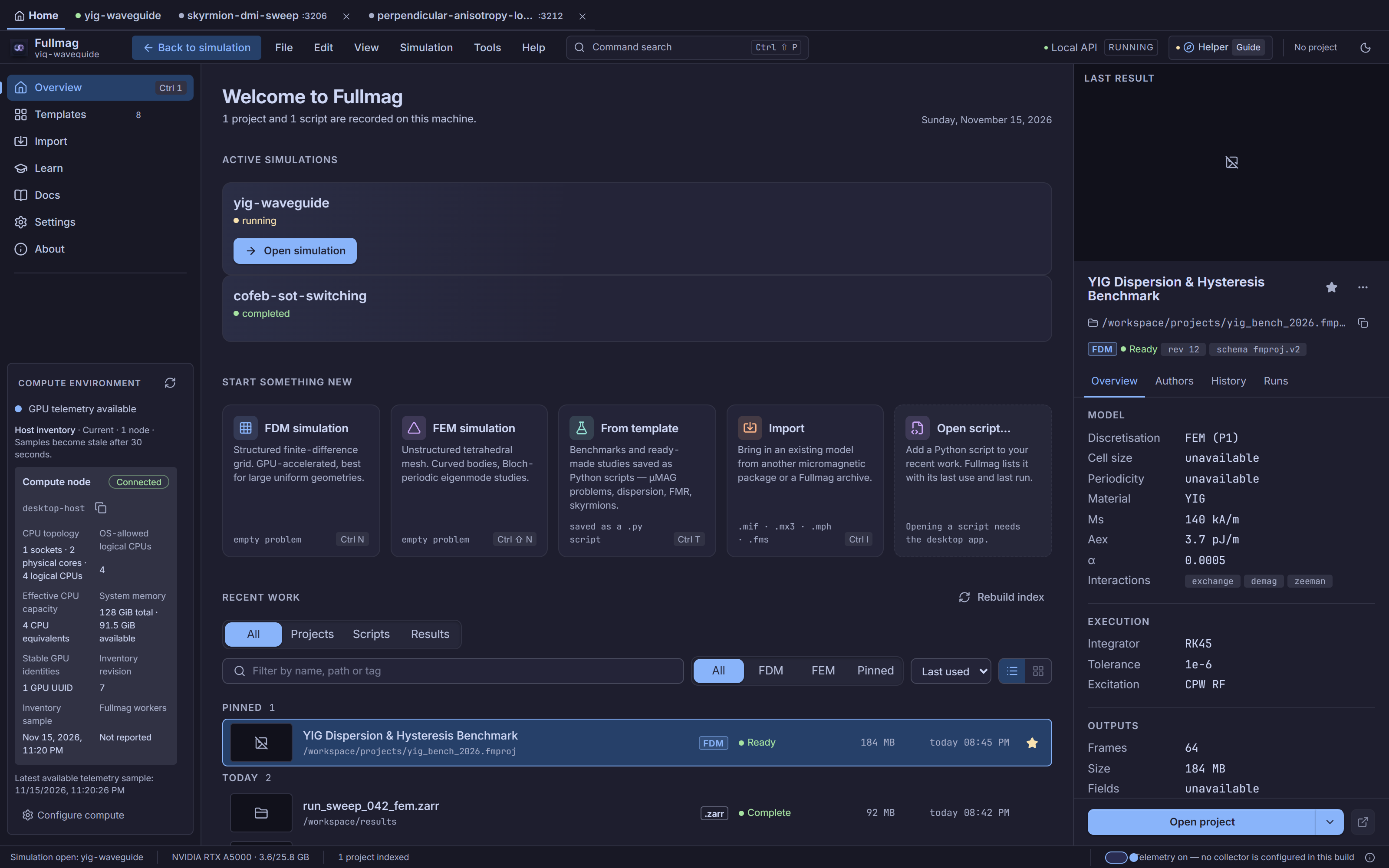
Below the launch tiles, StartScreen surfaces four live operational panels:
Interrupted checkpoint recovery (
ContinueCard): Checks the active checkpoint index against current build capabilities. When resumable, displays simulation time progress and offers one-click resume (study.restore-checkpoint) or two-step confirmed discard (study.discard-checkpoint); when incompatible or unopened, withholds broken actions and explains why.Active simulations (
ActiveSessions): Lists open sessions in the current instance—including external sessions created by Python scripts—with live lifecycle badges (running,awaiting_command,waiting_for_compute,completed,failed,closed) and a primary Open simulation button (fm-start-continue) for the current session.Recent projects, scripts, and saved results (
RecentProjects): Displays recently opened.fms/ workspace projects, tracked.pyscripts (with run-script execution and text preview inScriptInspector), and materializedSolutionSetresults (ResultInspector) with side-by-side detail inspection inProjectInspector.Other instances on this computer (
OtherInstances): Queries host instance discovery (useInstanceDiscovery) and lists sibling FullMag instances (such as concurrent Docker DEV groups or local ports) with their active session status, port badge, and an Open in tab button (tabRoutes/instance/<port>or?port=<port>).
Connecting from Live Python (fm.connect)
Sessions initiated from Python via fullmag.live appear automatically inside Active simulations and in the top session tab strip without requiring a manual page reload. A connected Python script attaches with a unique python-<hex> client ID and maintains a periodic heartbeat (/v2/sessions/current/clients/{client_id}) while streaming scene transactions, stage launches, and field queries:
>>> import fullmag as fm
>>> session = fm.connect()
>>> # The attached session appears live in Start Screen -> Active simulations
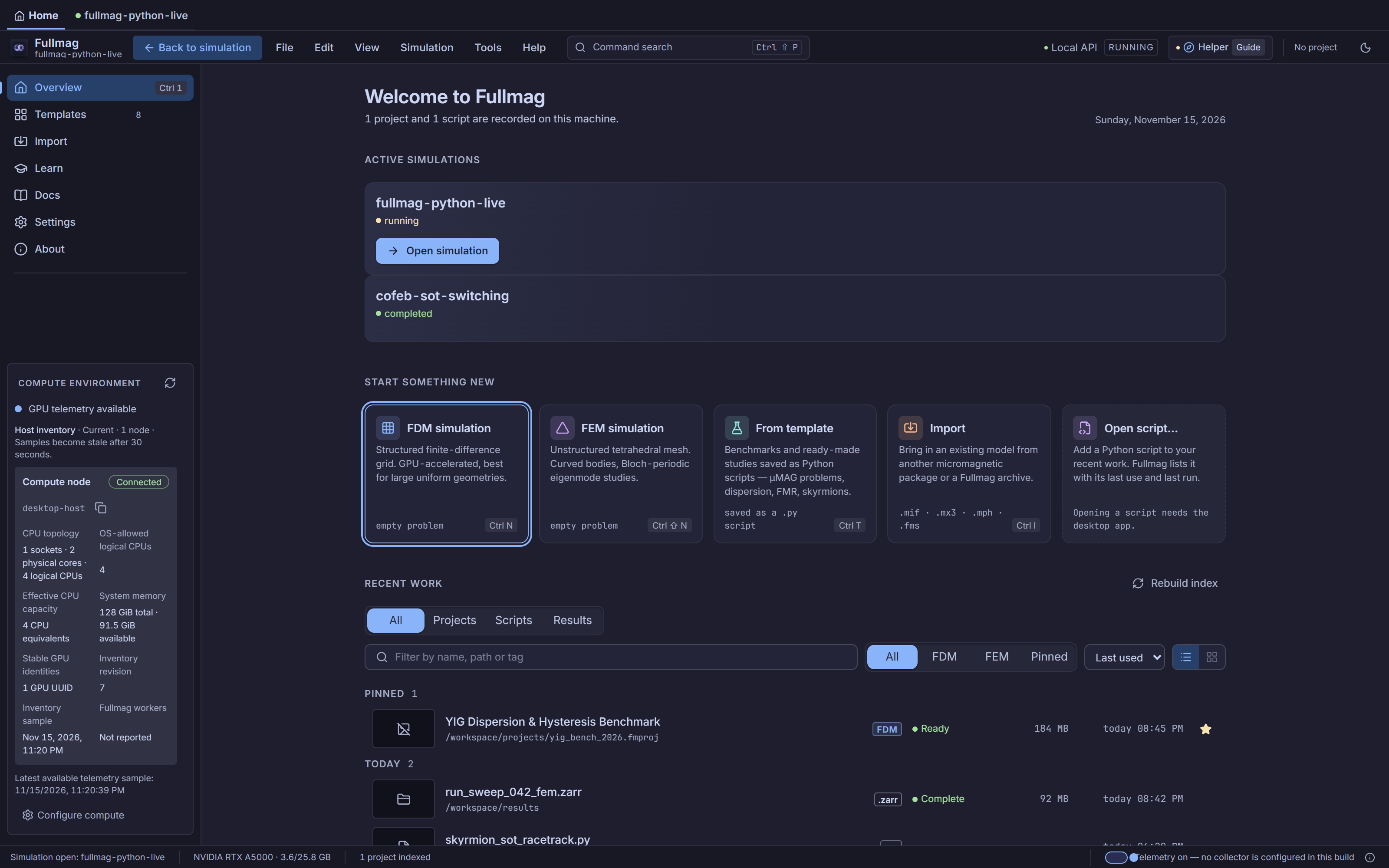
Screenshots illustrate the interface; they are not runtime or physics qualification evidence.
Control Room crosswalk
Primary workspace route:
/home(InstanceTabStripHome tab, orworkspace.homefrom the menu bar).Primary components:
StartScreen,StartRail,LaunchTiles,ContinueCard,ActiveSessions,RecentProjects,OtherInstances,TemplateDetails,ScriptInspector, andProjectInspector.Unsupported desktop actions: Desktop-only actions such as native OS file-picker
Open script…or script launch from the browser fall back gracefully with an explicit disabled reason when no desktop script host is bound (scriptRunHost.ts).
Python/API crosswalk
Interactive session attachment uses
fm.connect(...)implemented byLiveSession(packages/fullmag-py/src/fullmag/live/_session.py).Start-screen template exports emit canonical
fullmagstudy-and-stage Python scripts compatible with headless execution.
Physics and bibliography scope
This page describes UI session launch, discovery, and navigation only; it introduces no independent physical equations or discretization semantics.
Source-code index
Responsibility |
Repository path |
Stable symbol |
|---|---|---|
Start screen shell & workspace integration |
|
|
Left navigation rail & shortcuts |
|
|
Problem/template/import launch tiles |
|
|
Checkpoint recovery card |
|
|
Open sessions in current instance |
|
|
Sibling instance discovery list |
|
|
Template script preview & project creation |
|
|
Tab routing & |
|
|